
Kmart wishlist method
Move a saved product into your bag through the Kmart app when the normal Add to Bag flow is not available.

Kmart buying guide
Add Kmart Pokémon Products to Your Bag Using the Wishlist
During some Kmart Pokémon drops, a product may be available before the normal product page or Add to Bag flow is working properly.
If you already have the product saved to your Kmart wishlist, you can sometimes move it directly into your bag through the Kmart app.
Tip: For upcoming releases, add the product to your wishlist before the drop so it is already there when stock becomes available.
Important: This does not bypass Kmart's stock limits or guarantee checkout. The product still needs to be available and Kmart's normal purchase limits and checkout rules still apply.
Step by step
Install the Kmart app
Download and open the Kmart app.
Add the product to your wishlist
Find the product beforehand and save it to your wishlist.
Open your wishlist
Go to Wishlist in the Kmart app.
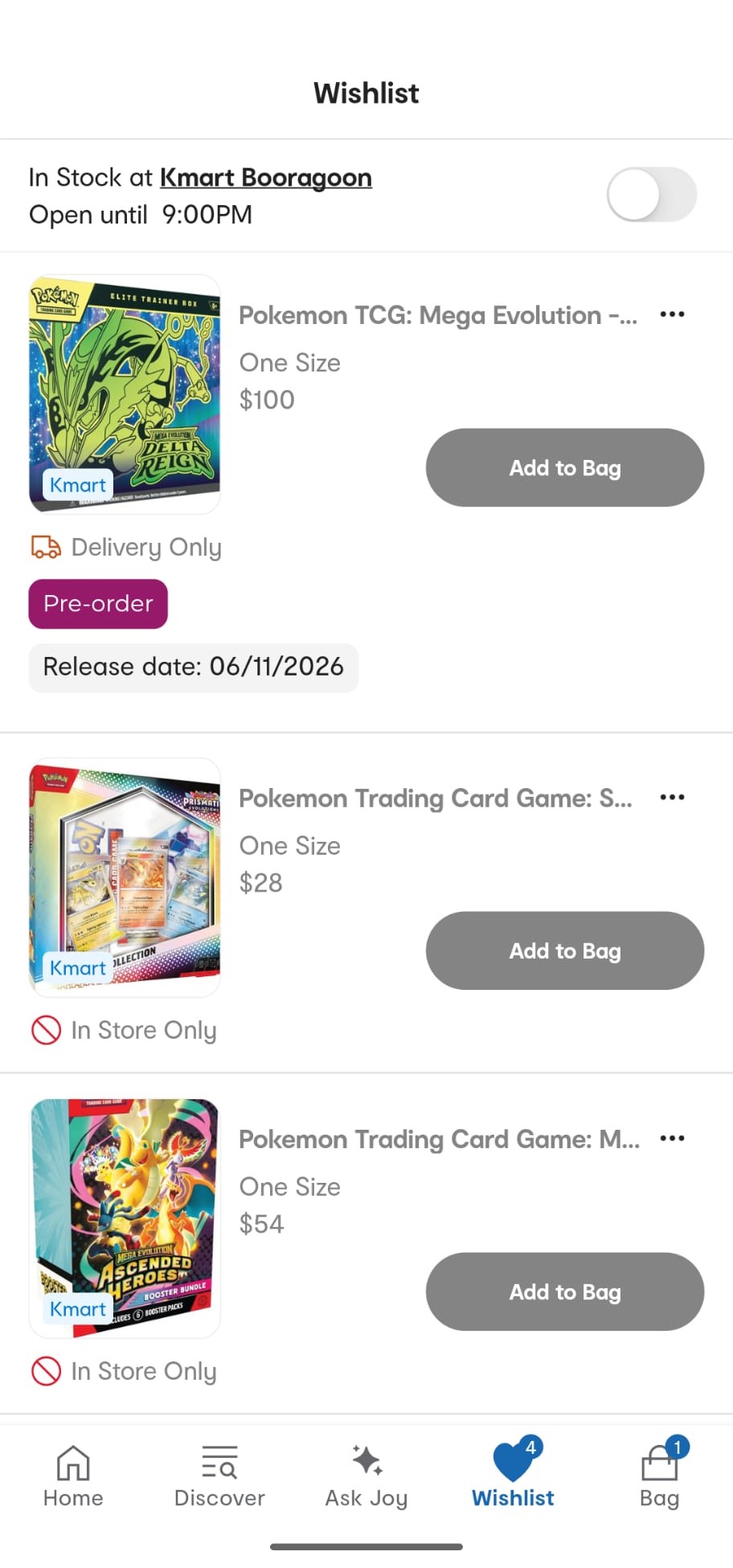
Open Wishlist in the Kmart app. Turn on the "In Stock" store toggle
At the top of the wishlist, enable the toggle beside your selected Kmart store. This changes how the wishlist items are displayed.
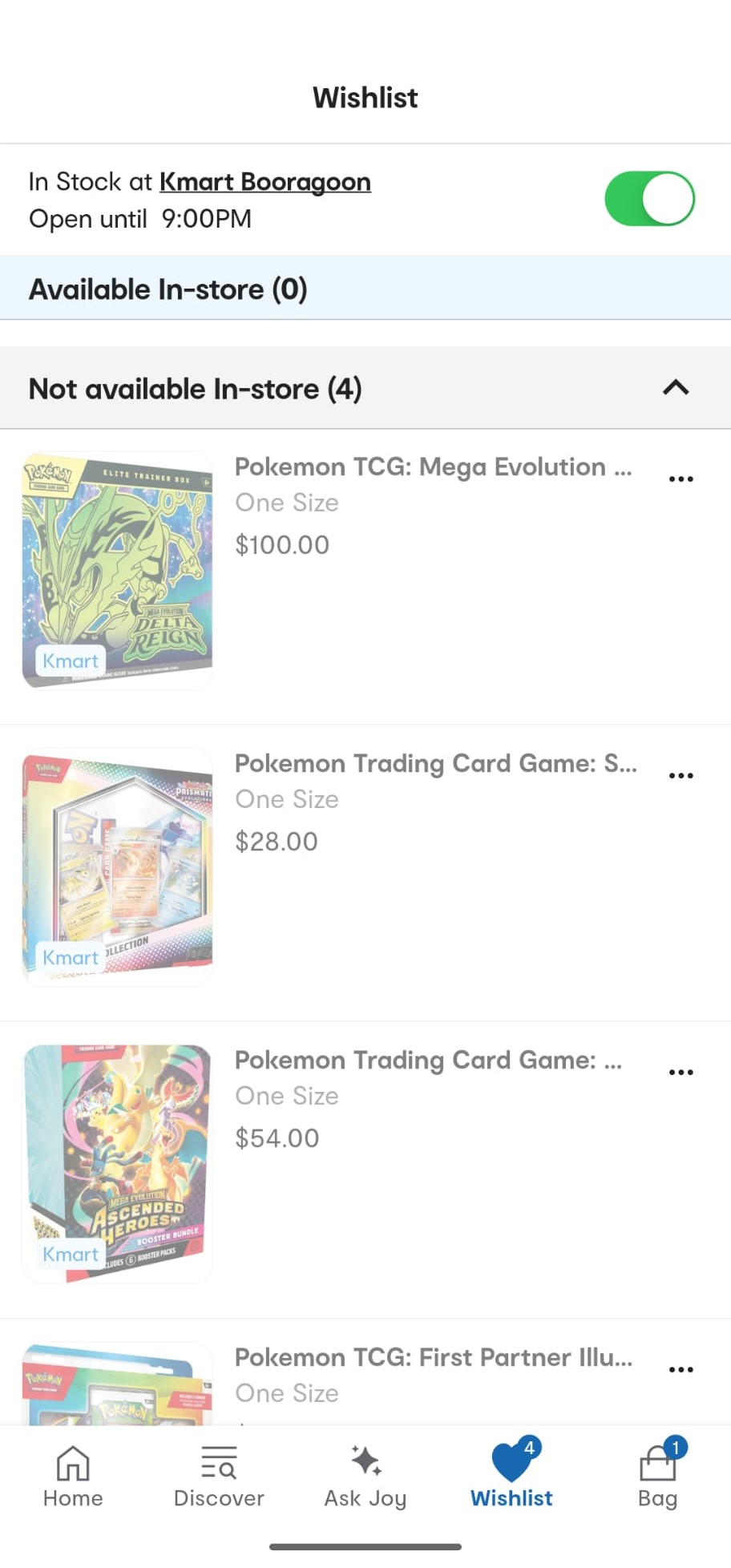
Enable the in-stock toggle beside your store. Tap the three dots
Find the product you want and tap the three-dot menu beside it.
Tap the three-dot menu beside the product. Select "Move to bag"
Choose "Move to bag" from the menu.
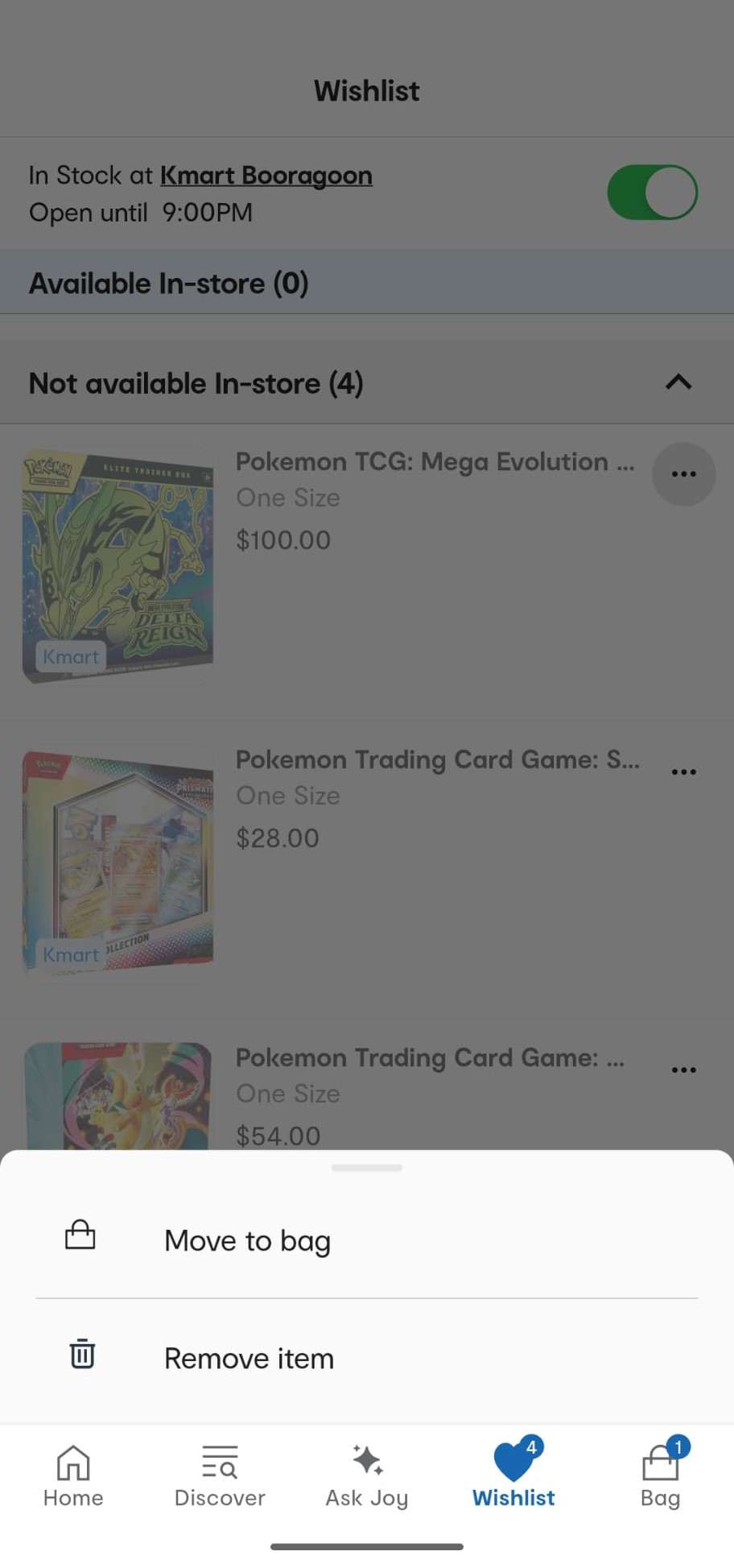
Choose "Move to bag" from the menu.
Why this is useful
During high-demand drops, CardWatch may detect stock before a retailer's normal product page is fully accessible. Knowing the retailer-specific purchase flow can help you act on the alert without wasting time trying the same broken page repeatedly.
This wishlist method is one step in the wider release-day workflow. For the full picture, including scheduled online drop times, getting to the payment step before launch, and buying in-store, see how to buy Pokémon cards at Kmart Australia.